quizforge / gallery / qf-feature-tour
Feature Tour
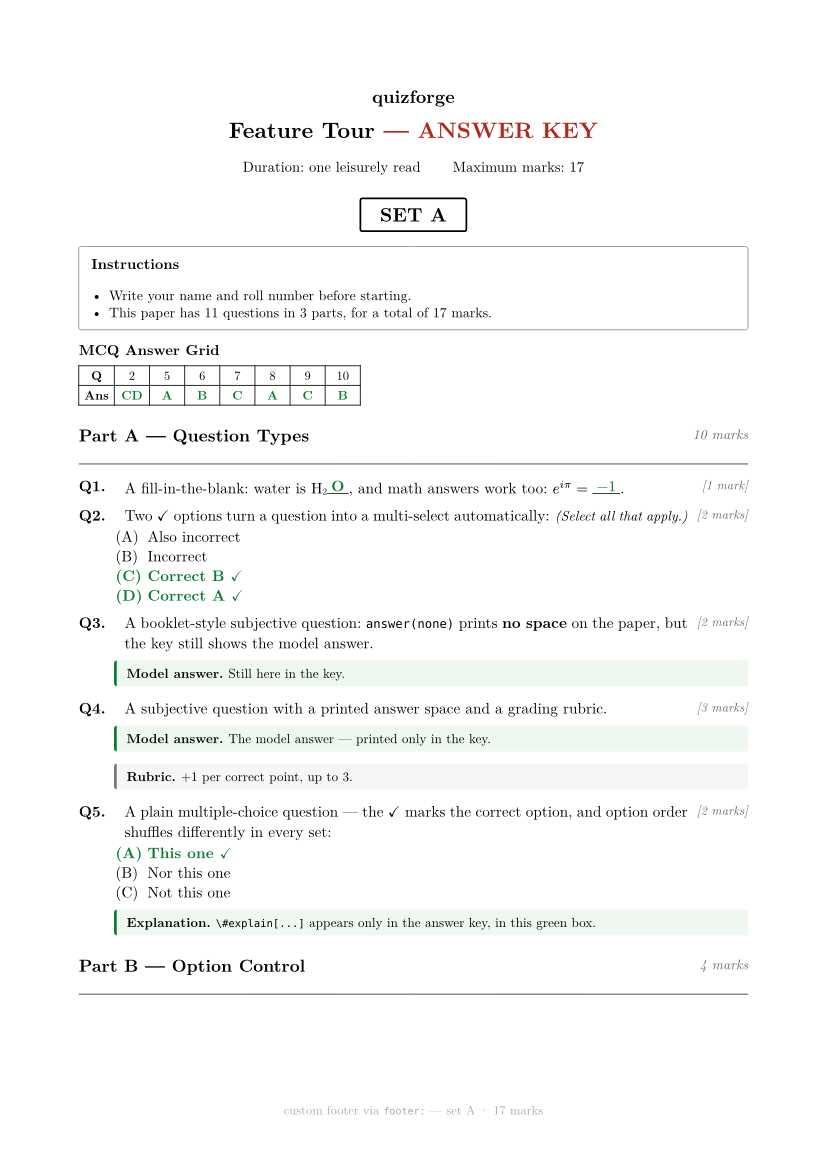
Every quizforge capability, one question each — see the feature tour for the code. Every set below contains exactly the same questions and total marks — only the question order and the MCQ option order differ, derived deterministically from the exam id and the set id.
The 2 versions
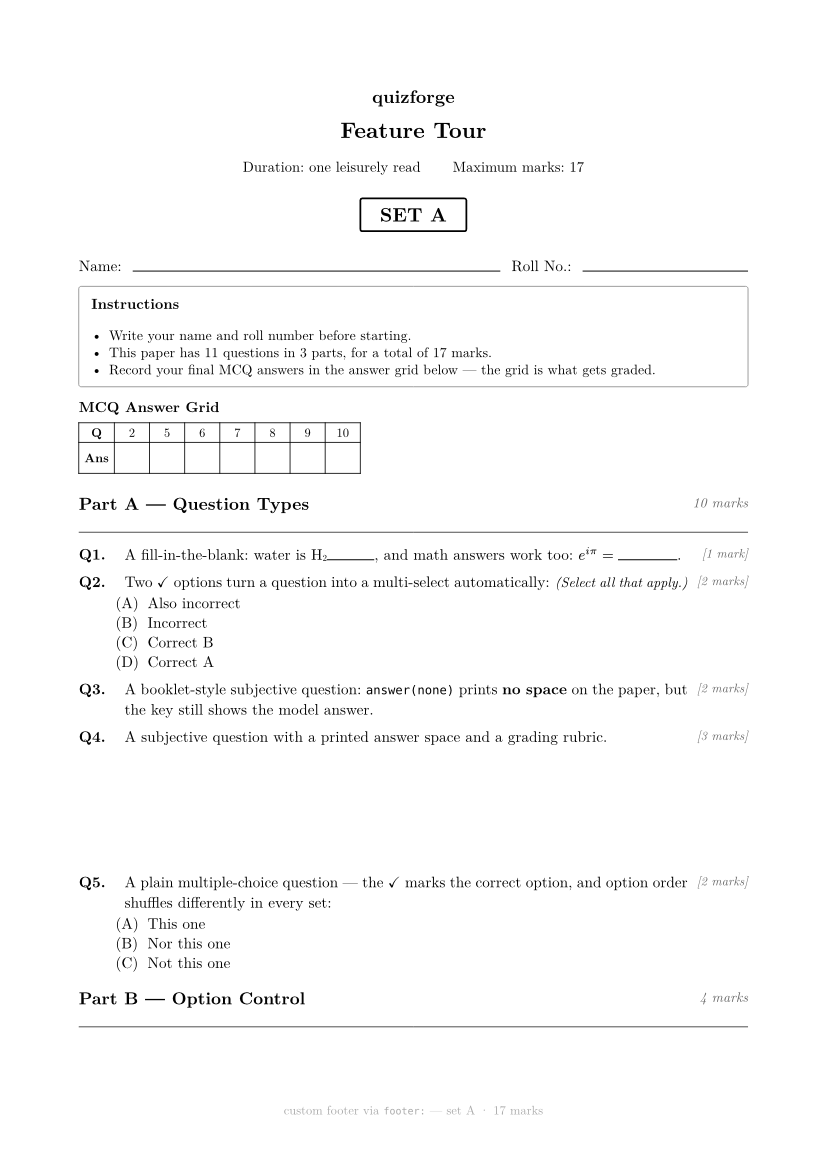
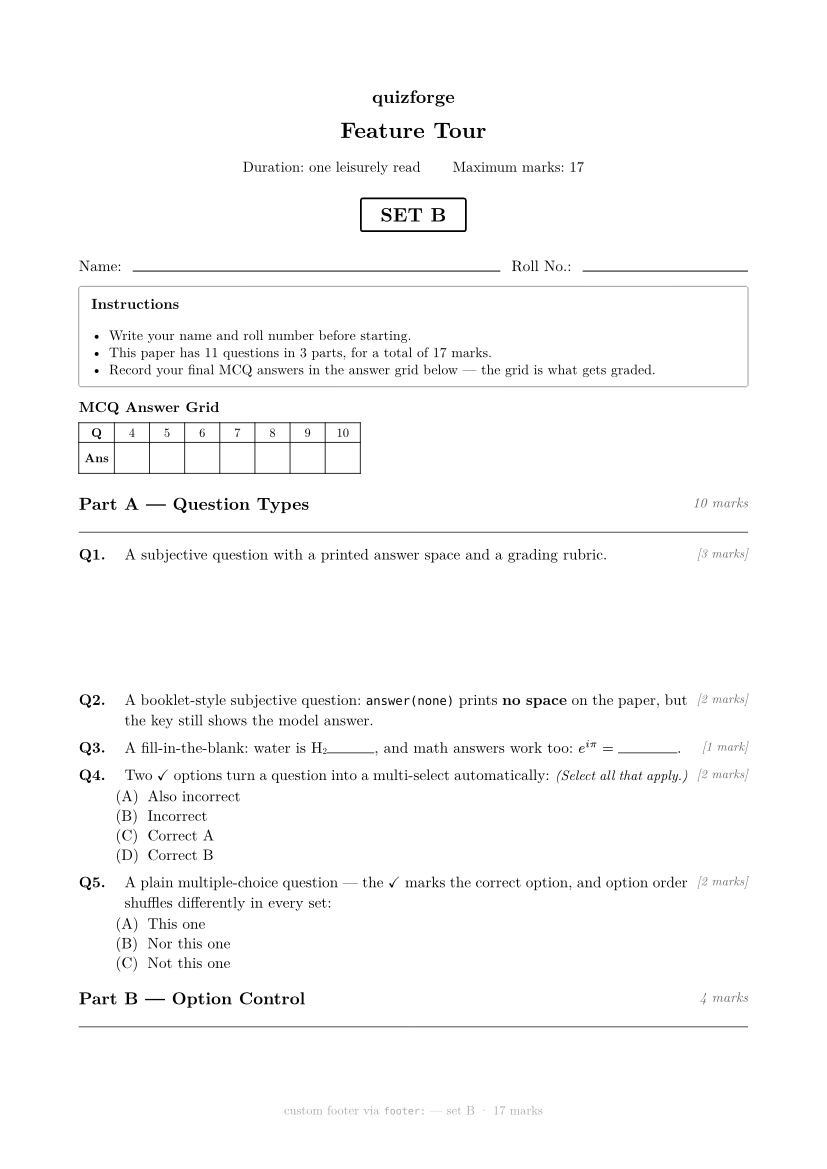
Answer key (set A)
The source that generated all of this
One file produces every version above, its keys, and the grading CSV. The feature tour explains each marker with minimal code.
View exams/demo-features.typ (84 lines)
// The feature tour: every quizforge capability, one question each, in a
// paper that is itself a working randomized exam. Rendered on the site's
// features page next to the minimal code for each capability.

#import "/quizforge/lib.typ": *

#show: quiz.with(
  id: "qf-feature-tour",
  course: "quizforge",
  title: "Feature Tour",
  duration: "one leisurely read",
  sets: ("A", "B"),
  answer-grid: true,
  footer: info => align(
    center,
    text(size: 9pt, fill: gray, [custom footer via `footer:` — set #info.at("set") · #info.total marks]),
  ),
)

= Question Types

+ #m(2) A plain multiple-choice question — the ✓ marks the correct option, and
  option order shuffles differently in every set:
  - ✓ This one
  - Not this one
  - Nor this one
  #explain[`\#explain[...]` appears only in the answer key, in this green box.]

+ #m(2) Two ✓ options turn a question into a multi-select automatically:
  - ✓ Correct A
  - ✓ Correct B
  - Incorrect
  - Also incorrect

+ #m(1) A fill-in-the-blank: water is H#sub[2]#blank(width: 1.2cm)[O], and math
  answers work too: $e^(i pi) = #blank(width: 1.5cm)[$-1$]$.

+ #m(3) A subjective question with a printed answer space and a grading rubric.
  #answer(3cm, rubric: [+1 per correct point, up to 3.])[The model answer —
    printed only in the key.]

+ #m(2) A booklet-style subjective question: `answer(none)` prints *no space*
  on the paper, but the key still shows the model answer.
  #answer(none)[Still here in the key.]

= Option Control

+ #m(1) "None of the above" pins itself to the last position in every set —
  no annotation needed:
  - ✓ A real answer
  - Another distractor
  - None of the above

+ #m(1) #opts(columns: 2) Two-column options via `\#opts(columns: 2)`:
  - ✓ North
  - South
  - East
  - West

+ #m(1) #opts(compact: true) Compact inline options via `\#opts(compact: true)`
  — pick $4$:
  - $3$
  - ✓ $4$
  - $5$
  - $6$

+ #m(1) #opts(shuffle: false) These options keep their authored order in every
  set (for I/II/III progressions):
  - I only
  - ✓ I and II
  - II and III

= Stability #section(shuffle: false)

+ #m(1) #qid("tour-frozen-id") This question's identity is frozen with
  `\#qid("...")`, so editing its wording never reshuffles its options.
  - ✓ Stable
  - Equally stable

+ #m(2) This part is marked `\#section(shuffle: false)`: its question order is
  identical in every set. When would you use that?
  #answer(2.5cm)[When questions build on one another, or for a fixed
    easy-to-hard ramp.]